Mobile control center

Manage your small business with clarity and control.

BizManage brings sales, inventory, spending, and team activity together so you can keep every location humming—right from your phone.

$48.2k

+12% vs last week

Live revenue from POS, online, and wholesale channels.

3

Stores in sync

Switch between coffee bar, catering, and events instantly.
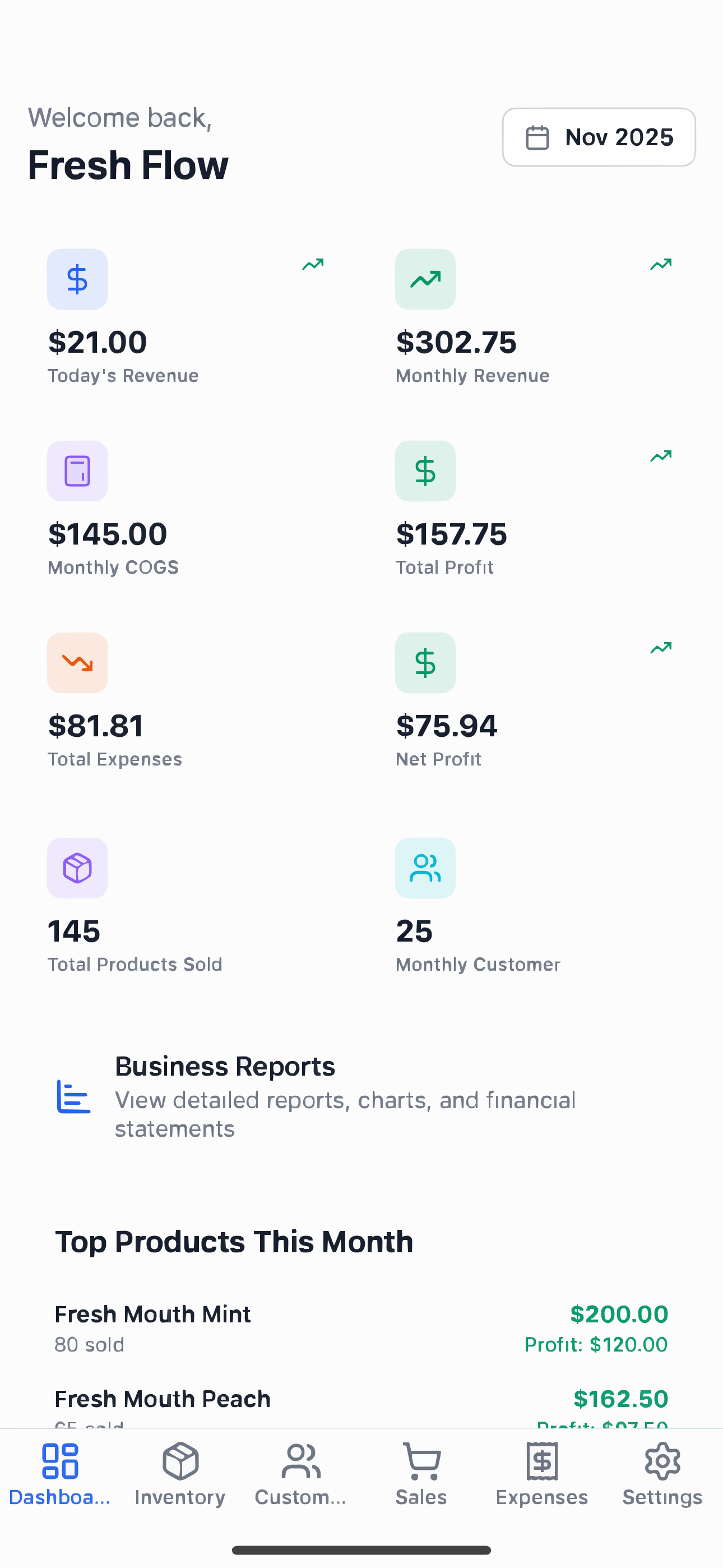
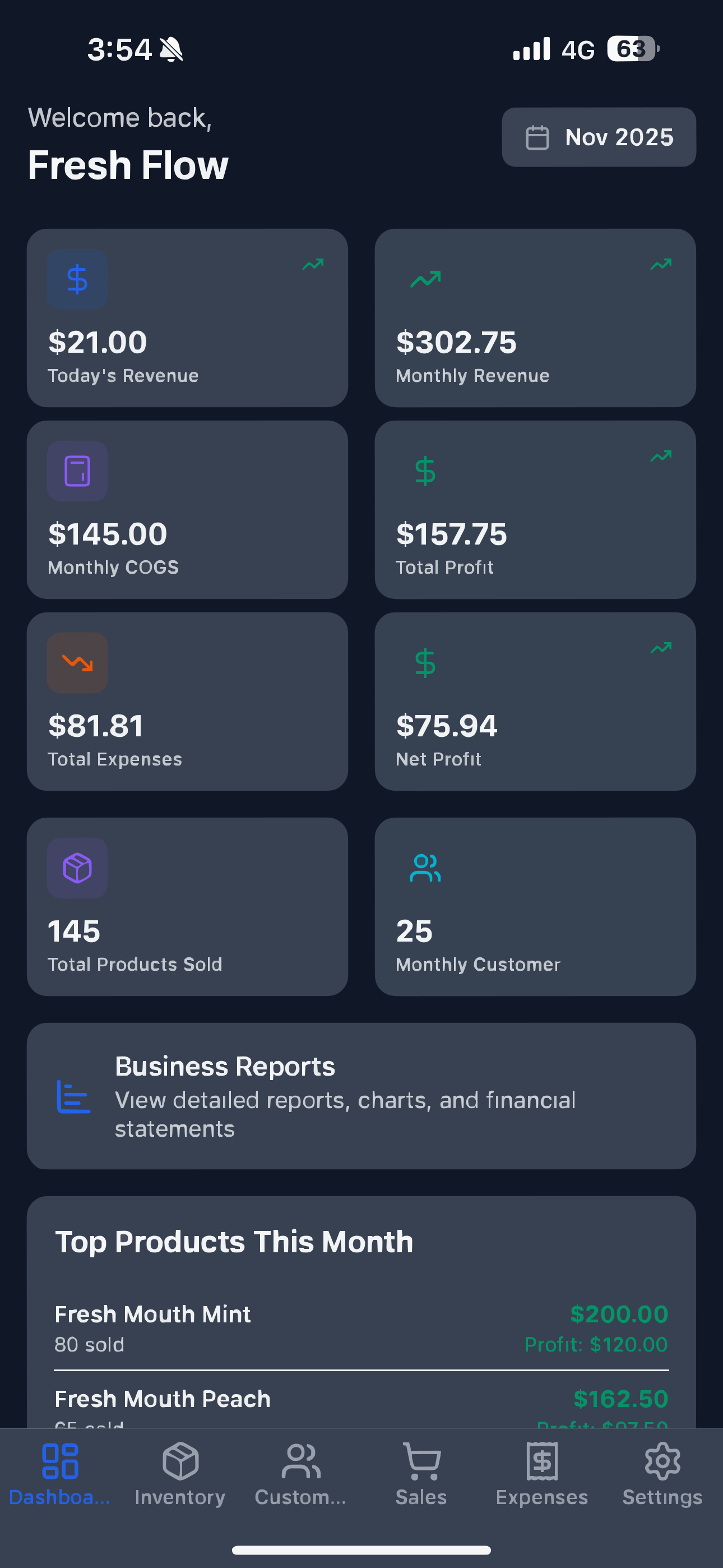
BizManage dashboard preview

Features

Everything owners need

BizManage replaces spreadsheets with fast, organized tools that work everywhere you do business.

Sales tracking

Visualize daily revenue by channel and spot cash-flow gaps early.

Inventory management

Monitor stock levels in real time and get low-inventory alerts.

Expenses logging

Snap receipts, tag expenses, and keep every deduction organized.

Basic reports

Generate weekly snapshots that highlight trends that matter.

Customer management

Keep customer notes, orders, and loyalty perks in one place.

Team member roles

Assign permissions so everyone sees exactly what they need.

Multi-business switching

Jump between storefronts or locations without logging out.

How it works

A clear flow for daily operations

From onboarding to daily decisions, BizManage keeps every step intuitive so you can stay focused on customers.

1Step 1

Download & connect

Install BizManage, link your sales channels, and import products in minutes.

2Step 2

Customize workflows

Set up expense categories, inventory alerts, and user roles that fit your team.

3Step 3

Track live activity

See sales, stock, and spending as they happen with clean dashboards.

4Step 4

Act with confidence

Use simple reports to plan restocks, manage cash, and coordinate your team.

Why BizManage

Built for owners who move fast

Whether you run a single shop or a growing group of locations, you get the same clean control panel everywhere.

  • Lightning-fast experience on any modern phone
  • Designed for busy owners—one thumb navigation
  • Works with multiple locations or businesses
  • Built for mobile-first teams with role-based access

FAQ

Frequently asked questions

Everything you need to know about BizManage and how it can help your business.

BizManage is a mobile-first business management app designed for small business owners. It helps you track sales, manage inventory, log expenses, handle customer relationships, and generate basic reports—all from your phone.
BizManage offers a free trial that includes your first 10 sales transactions. After reaching this limit, if you wish to continue using the app, a paid subscription plan will be required. This allows you to experience the full functionality before committing to a subscription.
Yes! BizManage supports multi-business management. You can switch between different businesses or locations within the app without logging out. Each business operates independently with its own data and team members.
We use industry-standard security measures including encryption in transit and at rest, Row Level Security (RLS) for data isolation, and secure authentication through Supabase. Each business's data is completely isolated from others.
Yes, you can export your business data in supported formats (CSV, Excel) at any time. We recommend exporting your data regularly as a backup, especially before making significant changes or deletions.
No, BizManage does not process payments. The app records sales transactions and tracks revenue, but all actual payment processing happens through your existing payment systems (POS, online payment gateways, etc.).
BizManage's reports and analytics are provided for informational purposes only. They are not certified financial statements, audited reports, or tax-compliant documents. For tax filing and compliance, please consult with a certified accountant or tax professional.
Account deletion is permanent and irreversible. All your businesses, sales data, customer information, products, expenses, and uploaded files will be deleted. We recommend exporting your data before deletion. Team members will be notified if a business they're part of is deleted.
For detailed step-by-step instructions on how to delete your account or business, please visit our deletion guide page. The guide includes important information about what data will be deleted and recommendations before deletion.
BizManage is currently optimized for mobile devices (iOS and Android). The app is designed to work seamlessly on phones and tablets, giving you full control of your business operations on the go.
You can reach our support team through the contact form on this website or email us at support@bizmanage.app. We aim to respond within 3-5 business days. For urgent issues, please use the in-app support feature.